ADR Planning From the Script: Spotting & Scheduling
Executive Summary
ADR (Automated Dialogue Replacement) succeeds or fails long before an actor steps into the booth. The films that integrate cleanly into the final mix are the ones where dialogue editors flagged risky lines at the script stage, ran proxy spotting on assembly cuts, locked actor calendars four weeks before picture lock, and matched booth acoustics and microphone choice to the production track. This guide walks through the full ADR planning chain (script flags, pre-lock spotting, scheduling and budgeting, technical setup, and performance direction) with the standards, tools, costs, and failure modes that working post-sound teams use in 2026.
Table of Contents
1. Integrating ADR Planning into Script Development
Integrating ADR Planning into Script Development
The foundation of successful ADR begins long before cameras roll, embedded within the script development process itself. Industry standard practice, as championed by the Motion Picture Editors Guild (MPEG), dictates that potential ADR needs should be flagged during script breakdowns. This isn't about preemptively replacing all production audio, but rather identifying high-risk dialogue that may prove unusable or require enhancement.
A key part of this proactive approach involves script supervisors and dialogue editors reviewing the script for scenes inherently problematic for clean dialogue recording. Think of exposed outdoor environments, scenes with significant background action, or emotionally charged moments where a character's dialogue might be whispered or delivered with a specific vocal quality that production sound struggles to capture cleanly. As noted on Himidlow.com, writing dialogue with re-recordability in mind means avoiding overly naturalistic overlaps that might complicate post-production isolation and replacement.
It's also about recognizing that certain lines, due to their dramatic weight, will demand pristine clarity, regardless of on-set conditions.
Established benchmarks from major post houses suggest that 20-30% of dialogue in a typical feature film may ultimately require ADR. This is not a failure of production sound but an acknowledgment of the inherent challenges of filmmaking. By identifying these sections early, filmmakers can budget appropriately, manage expectations, and even write lines to be more amenable to re-recording. For instance, avoiding complex, rapid-fire overlapping dialogue in a scene planned for a noisy location can save significant time and resources in post.
💡 Pro Tip: During table reads, have the script supervisor or a dedicated sound team member make notes directly on the script, identifying lines that might be "ADR risky." These could be lines delivered off-screen, lines spoken over a loud practical effect, or lines in an acoustically challenging location. Use a consistent notation, such as "ADR?" or "FX OVERLAP," to create an initial log.
Modern scriptwriting software, like Final Draft 13, offers detailed revision tracking and note-taking capabilities that are invaluable for this early planning. Writers can embed specific notes about potential ADR requirements for certain lines or scenes, which can then be exported or referenced by the sound team. Similarly, collaborative platforms such as Celtx Script allow for tags and comments that can highlight "ADR potential" based on location descriptions or character actions. Even early timeline imports into editing software like Adobe Premiere Pro 2025 can help visualize dialogue placement against potential sound challenges, allowing for preliminary "temp ADR spotting."
Common mistakes at this stage often stem from a lack of foresight. Filmmakers might write critical exposition as a quiet whisper during a stormy exterior scene, only to realize later that the production audio is entirely masked by wind. Another error is failing to consider actor availability for re-recording, leading to scheduling nightmares after picture lock. To mitigate this, build ADR buffers into the production schedule and even into character arcs, recognizing that some actors might have limited windows for post-production work.
Experienced filmmakers and sound professionals often use this early integration to their advantage. For instance, in crowd scenes, many directors, following the guidance of the Editors Guild, will insert "loop group" placeholders directly into the script, such as "BG VO: [ADR loop group]," indicating that background dialogue will be handled post-production. This not only streamlines the on-set process but can also prevent the need for costly rush fees later. Directors working on indie dramas have even been known to record temp ADR during table reads using simple tools like iPhone Voice Memos, syncing these recordings to script pages to create performance references that inform later spotting sessions.
This hands-on approach ensures that the director's vision for dialogue delivery is captured early and can guide the sound team effectively.
Pre-Production Spotting: Identifying ADR Needs Early
While initial ADR flags happen at the script stage, comprehensive pre-production spotting begins once a rough cut or assembly edit is available, long before picture lock. This proactive approach prevents the common mistake of spotting too late, which can lead to costly re-records if picture changes occur after ADR has already begun. The supervising sound editor typically leads these crucial spotting sessions, often reviewing the timeline with the director and picture editor.
The primary goal of these sessions is to systematically identify every line of dialogue that is either unintelligible, acoustically compromised, or emotionally inconsistent with the desired performance. Standard practice, as detailed by Himidlow.com, involves dialogue editors first attempting to clean production tracks using advanced noise reduction techniques. Only after these efforts are exhausted are lines flagged for ADR. This process can result in 10-40% of a film's dialogue being marked for re-recording, depending on the production's quality and the complexity of the soundscape. Standard practice for assessing program loudness uses EBU R128 metering at an integrated target of -23 LUFS, which helps determine whether production audio can meet broadcast or streaming specifications without excessive processing.
💡 Pro Tip: Before a formal spotting session, have the dialogue editor perform an initial pass, flagging obvious problem areas and attempting preliminary noise reduction. This pre-work allows the team to focus on critical decisions during the session rather than basic cleanup, making the spotting session much more efficient.
The industry gold standard for audio post-production, Avid Pro Tools 2024.10, is central to these spotting sessions. Its capabilities, including Elastic Audio for precise sync analysis and detailed editing tools, allow sound editors to meticulously evaluate each line. For granular analysis and pre-spotting cleanup, tools like iZotope RX 11 Standard are indispensable. Its spectral repair, de-noise, and de-breath modules can reveal whether a production track can be saved or if ADR is truly necessary. For filmmakers using DaVinci Resolve 19, the Fairlight page offers powerful timeline-based spotting, and its AI Dialogue Isolator can help determine if dialogue can be salvaged from a noisy background.
A common mistake is waiting until picture lock to conduct spotting. This creates a bottleneck and can lead to wasted effort if subsequent picture edits invalidate previously spotted lines. Instead, by performing proxy spotting sessions on early cuts, the sound team can flag major issues and begin preparing. Another oversight is underestimating subtle but pervasive audio problems like mouth clicks, lip smacks, or excessive breaths. While seemingly minor, these can be distracting in the final mix. Addressing them with tools like RX 11's Mouth De-click module before a final ADR decision can sometimes save a line that might otherwise have been replaced.
Experienced guild professionals often develop what they call "ADR bibles." These are detailed spreadsheets, often in Excel or Google Sheets, that meticulously track every line flagged for ADR. Each entry includes the line number, the specific production audio issue (e.g., "wind noise," "off-mic," "performance change"), and any specific notes for the actor or director. This bible serves as a living document from the script phase through recording. Insiders, as reported by Himidlow, also prioritize "emotional ADR" during spotting. These are lines in critical dramatic scenes where the audience's emotional connection is paramount.
Even a slight imperfection in these lines can pull a viewer out of the story, making them a high priority for re-recording, often allocating a significant portion of the ADR budget to these moments.
For a deeper dive into managing the audio post-production pipeline, understanding the technical specifications for sound is crucial. Ensuring that your reference video includes burn-ins that prevent sync disputes is a foundational practice for clear communication between picture and sound teams. See our guide on Reference Video Specs for Sound: Burn-Ins That Prevent Sync Disputes for more details on this critical handoff.
Scheduling ADR Sessions: Timelines, Coordination, and Costs
Once ADR needs are identified, the logistical challenge of scheduling begins. This phase is often a delicate dance of coordinating actor availability, studio time, and budget constraints. Industry standards, as outlined by Himidlow, suggest that a typical 90-minute feature film might require 1-3 days of dedicated ADR recording, though independent films with more complex soundscapes or limited production sound resources might extend this to 4-6 weeks post-picture lock.
Effective scheduling hinges on proactive coordination. Tools like StudioBinder Scheduling are invaluable for managing actor calendars, sending out session invites, and flagging potential conflicts well in advance. For productions with actors spread across different geographical locations, remote solutions have become standard. Evercast provides a reliable platform for remote ADR sessions and reviews, offering high-quality streaming with low latency, allowing directors and sound supervisors to work with actors globally as if they were in the same room. Similarly, Source-Connect Nexus is the industry standard for remote ADR synchronization, integrating directly with Pro Tools to ensure precise playback and recording sync across distances.
💡 Pro Tip: When booking actors for ADR, always schedule a buffer of at least 30 minutes before and after their actual recording time. This allows for technical setup, vocal warm-ups, and addressing any unexpected delays without impacting subsequent sessions or rushing the actor.
Cost is a significant factor. While rates vary widely by market and studio, typical ADR sessions can range from $500 to $1,500 per session, often bundled with spot effects or other sound services. Rush bookings, however, can incur an additional 25-50% surcharge. It's also crucial to establish a clear revision policy upfront. Standard practice, as noted by Himidlow, typically includes 2-3 rounds of revisions within the agreed-upon fee. Any picture changes after the start of ADR sessions or excessive revision requests often result in hourly fees, which can range from $150 to $300 per hour. The MPEG also emphasizes coordinating with loop groups well in advance for background voices, as their schedules can be just as tight as principal actors.
A common mistake is setting unrealistic timelines. Promising a "one-week ADR turnaround" for a dialogue-heavy film is a recipe for burnout and compromised quality. Filmmakers should consult with post-production houses to get realistic estimates based on their project's scope. Another pitfall is failing to define a clear revision policy, leading to scope creep and budget overruns. Explicitly stating the number of included revisions in the contract is essential.
Experienced professionals employ several strategies to optimize ADR scheduling. Himidlow advises asking post houses about their policy on picture changes after ADR has commenced, as most will charge for the additional work involved. Guild members recommend blocking actor calendars four weeks prior to the anticipated picture lock date. They also suggest using any available temp ADR from production, such as lines captured by a boom mic but not used in the final cut, as performance references. This can potentially cut down scheduling time by providing actors with a guide for their delivery. For independent productions, scheduling "ADR marathons" (longer, consolidated 4-hour blocks) can be more efficient than multiple shorter sessions, as it reduces setup time and allows actors to settle into the performance.
Managing the technical handoff for sound is paramount for avoiding scheduling delays and ensuring a smooth workflow. Understanding the differences between AAF, OMF, and EDL files, and their respective uses and common traps, can prevent significant headaches down the line. For a detailed breakdown, consult our article on AAF vs OMF vs EDL for Sound: What Each Is Good For and Common Traps.
Technical Setup and Tools for ADR Recording
The quality of ADR recording is directly tied to the technical setup of the studio and the tools employed. The goal is to capture dialogue that can blend cleanly with the production audio, both acoustically and tonally. Achieving this requires meticulous attention to microphone choice, acoustic environment, and precise synchronization.
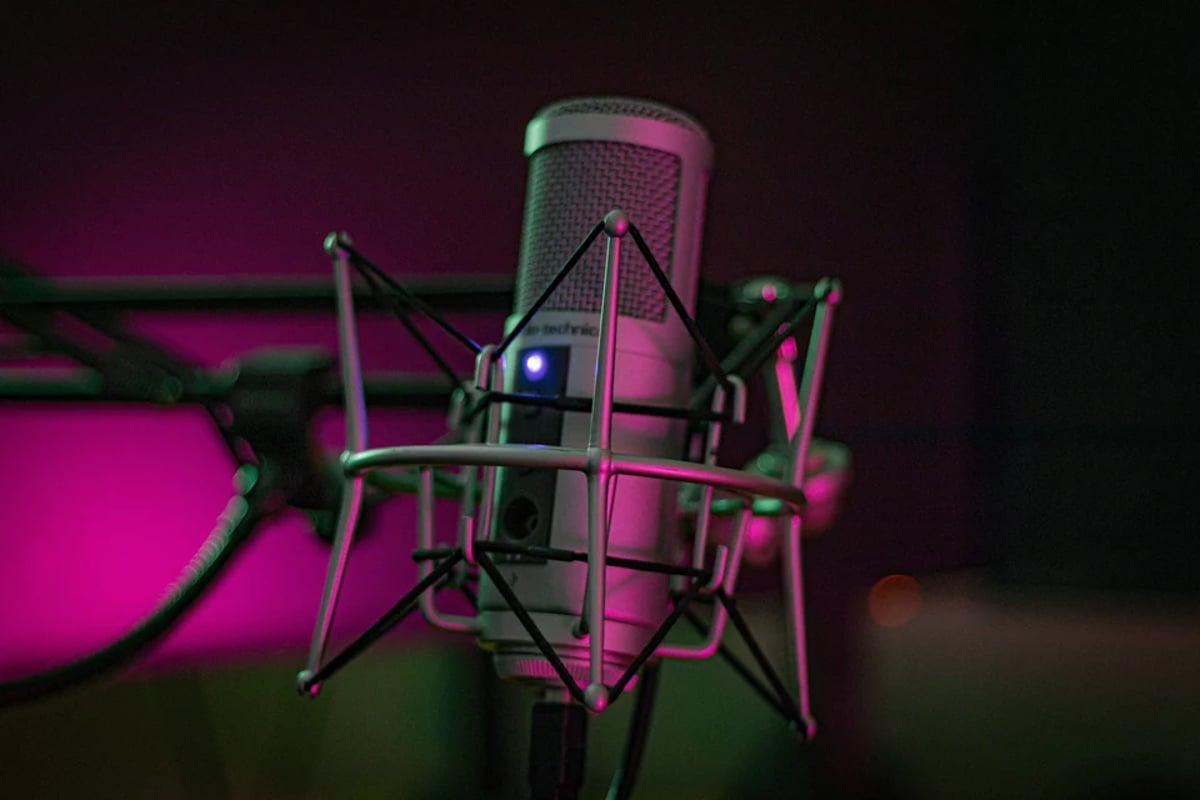
Industry practice for ADR booths calls for an acoustically isolated, low-reverb space, typically targeting an RT60 below 0.3 seconds and a noise floor of NC-15 or lower. The choice of microphone is equally critical. The Neumann TLM 103 large-diaphragm condenser microphone is a widely shipping industry standard, known for its clear, natural sound reproduction and wide frequency response, providing the detailed capture needed for dialogue. However, for certain scenes, matching the characteristics of the on-set microphone might be necessary. The Sennheiser MKH 416 shotgun microphone, a common choice for production sound, is often used in ADR to match the more focused, directional sound of on-set recordings, especially for lines meant to sound like they were captured by a boom mic.
Synchronization is non-negotiable. Modern ADR sessions rely on precise timecode synchronization, typically managed within the Digital Audio Workstation (DAW) itself, such as Avid Pro Tools 2024.10. Tools like PluralEyes (often integrated into NLEs) can also assist in aligning audio, though for dedicated ADR, direct timecode lock is preferred. The audio interface plays a crucial role in capturing the microphone signal and providing low-latency monitoring for the actor. The Universal Audio Apollo Twin X is a popular choice, offering high-fidelity analog-to-digital conversion and real-time UAD plugins that can be used to apply subtle EQ or reverb to help the actor match the on-set sound.
For larger studio environments, the Avid S6 M40 control surface, the post-production standard in Avid's mixing line, provides comprehensive control for engineers running Pro Tools-based ADR and dub stages.
💡 Pro Tip: Before an actor arrives, record a few minutes of "room tone" in the ADR booth. This clean ambient sound can be used later by the dialogue editor to fill gaps or blend ADR with existing production audio, making the replacement invisible.
A common mistake is neglecting to analyze the production audio's characteristics before recording ADR. Simply recording clean dialogue isn't enough; it must match the timbre, presence, and even subtle reverb of the original. Skipping this analysis can lead to ADR that sounds detached or "stuck on top" of the scene. Pre-loading analysis tools like iZotope RX 11 can help the sound engineer quickly reference the production track's sonic profile (e.g., frequency balance, noise floor) to guide the ADR recording. Another pitfall is poor sync drift during recording, often due to improper timecode setup or latency issues.
Utilizing a dedicated system like Source-Connect for remote sessions ensures a locked playback and record environment.
Experienced sound teams often utilize "ADR wildtracks" recorded on the production set as a baseline. These are isolated recordings of actors delivering lines or performing actions, captured separately from the main production audio. While not always perfectly synced, they provide an invaluable reference for the actor's original performance and vocal quality. Himidlow also emphasizes the importance of testing the ADR booth acoustics with pink noise, aiming for a reverb time (RT60) of less than 0.3 seconds to ensure a dry, controlled recording environment. A practical technique employed by insider professionals is to record at least three takes per line: one "close" (intimate, direct), one "medium" (natural conversational), and one "performance" (focused on the emotional delivery).
This provides the dialogue editor with flexibility in blending and matching during the final mix.
For picture editors, understanding what the sound team needs for a smooth turnover is critical. This includes specific file formats, labeling conventions, and understanding the importance of handles for reconforms. Our guide on the Sound Turnover Checklist for Picture Editors: Premiere/Avid/Resolve provides comprehensive instructions.
Performance Direction: Coaching Actors for Seamless Integration
The technical aspects of ADR are only half the battle; the other half is eliciting a performance from the actor that perfectly matches the original on-screen portrayal. This requires skilled performance direction, often spearheaded by the supervising sound editor or the director themselves, to guide the actor in recreating the emotional nuance, timing, and vocal characteristics of their original performance.
The core practice involves the actor watching the picture while listening to the original production audio (if available and usable) or a guide track. The director or sound supervisor cues them to deliver the lines, focusing on "natural sync", not just lip-sync, but matching the pacing, breaths, and emotional arc. For crowd scenes or background dialogue, the use of a loop group is standard, as described by the Editors Guild. These specialized groups are adept at creating believable ambient conversations and reactions that integrate cleanly into the scene.
Revision rounds, typically 2-3, are focused on fine-tuning emotion, timing, and ensuring clarity.
💡 Pro Tip: When directing actors for ADR, provide them with the context of the scene, not just the line. Remind them of the character's emotional state, physical action, and motivation in that specific moment. This helps them recreate the performance more authentically.
Tools that facilitate this direction include control surfaces like the Avid Artist Mix, which provides tactile control over playback, looping, and cueing during sessions. For actors, low-latency monitoring is paramount, allowing them to hear their voice in real-time without distracting delays. Hybrid interfaces like Pro Tools Carbon offer this capability, ensuring a comfortable and responsive recording environment. When attempting to match the original on-set sound, using a microphone similar to the one used on set, such as the Sennheiser MKH 416 shotgun mic, can help achieve a closer tonal match.
A common mistake in ADR direction is an overemphasis on technical lip-sync at the expense of emotional performance. A line that is perfectly in sync but emotionally flat will still feel artificial. Directors should prioritize conveying the original intention and feeling of the scene. Another error is rushing the actor. Many actors need a few minutes to warm up their voice and get into character, especially if they haven't performed the role in a while. Allocating 15 minutes for warm-ups and reviewing the scene's context can significantly improve the quality of the takes.
Experienced directors often provide detailed "director's notes" to the sound team and actors, outlining the specific emotional beats and intentions for each ADR line. Himidlow notes that hands-on directors might review takes daily, while others might focus on key milestones. A technique employed by Guild professionals is to use "performance templates": pre-recorded neutral reads of the lines, or even the original production audio, for actors to match the timbre, pace, and energy. Insiders also enhance sync success by providing visual markers, such as lip-sync hashes or waveforms displayed on the video monitor, which can improve first-take sync accuracy noticeably.
This blend of technical guidance and nuanced performance direction is what ultimately allows ADR to become an invisible, yet powerful, component of a film's soundtrack.
For directors and picture editors, understanding how to communicate their vision without micromanaging the sound team is a crucial skill. This involves clear, concise notes and trusting the expertise of the sound professionals. Our article on Director's Notes for Editorial: Communicating Vision Without Micromanaging offers valuable insights into this collaborative process.
Common Mistakes
1. Late Spotting: Waiting until picture lock to identify ADR needs creates a bottleneck, can lead to wasted effort if picture changes occur, and puts undue pressure on the post-sound schedule.
2. Ignoring Production Audio Characteristics: Recording ADR in a vacuum without analyzing the timbre, presence, and subtle reverb of the original production sound results in dialogue that sounds detached and poorly integrated.
3. No Clear Revision Policy: Failing to define the number of included ADR revision rounds in the contract leads to scope creep, budget overruns, and potential disputes.
4. Prioritizing Lip-Sync Over Emotion: Over-focusing on technical lip-synchronization at the expense of the actor's emotional performance results in accurate but lifeless dialogue that feels artificial.
5. Insufficient Actor Briefing: Not providing actors with the full context (emotional state, physical action, scene motivation) of the lines they are re-recording leads to generic, unconvincing performances.
Interface & Handoff Notes
Upstream Inputs (What you receive):
* Dialogue Edit AAF/OMF: An OMF or AAF file from the picture editor containing all edited production dialogue tracks, organized logically (e.g., DX, MX, FX separated) with appropriate handles.
* Script with ADR Spotting Notes: The film script with initial flags and notes from the script supervisor or dialogue editor indicating potential ADR lines.
Downstream Outputs (What you deliver): * ADR Stems: Clean, edited ADR dialogue tracks, often delivered as separate stems (e.g., "ADR_DX_Main," "ADR_DX_BG") ready for the final mix.
* ADR Cue Sheet/Bible: A detailed log of all recorded ADR lines, including line numbers, cue points, actor names, and any specific notes or alternate takes.
* Reference Mix (Optional): A rough mix of the ADR with existing production dialogue and music/effects to demonstrate integration, if requested by the director or mixer.
Top 3 Failure Modes for ADR Planning:
2. Unrealistic Actor Scheduling: Failing to secure actor availability far in advance for ADR sessions, leading to last-minute scrambles, remote recording compromises, or even having to use voice doubles.
3. Poorly Defined ADR Spotting: Vague or inconsistent spotting decisions, leading to unnecessary ADR being recorded (wasting time/money) or critical lines being missed and discovered late in the mix.
Browse This Cluster
- Reference Video Specs for Sound: Burn-Ins That Prevent Sync Disputes
Next Steps
To ensure your picture editor provides the sound team with optimal deliverables, read our guide on Handles for Turnovers: What to Choose and How It Affects Reconforms. For best practices in organizing your editorial tracks before the sound handoff, explore Editorial Track Layout Standards: Separate DX/MX/FX to Keep AAF Usable.
---
© 2026 BlockReel DAO. All rights reserved. Licensed under CC BY-NC-ND 4.0 • No AI Training.