ASUS ProArt PA32USD Review: 4K QD-OLED with Dual 12G-SDI
> This guide contains affiliate links. BlockReel may earn a small commission on qualifying purchases at no extra cost to you. All commissions go directly toward funding our DAO Film Festival and supporting independent filmmakers.
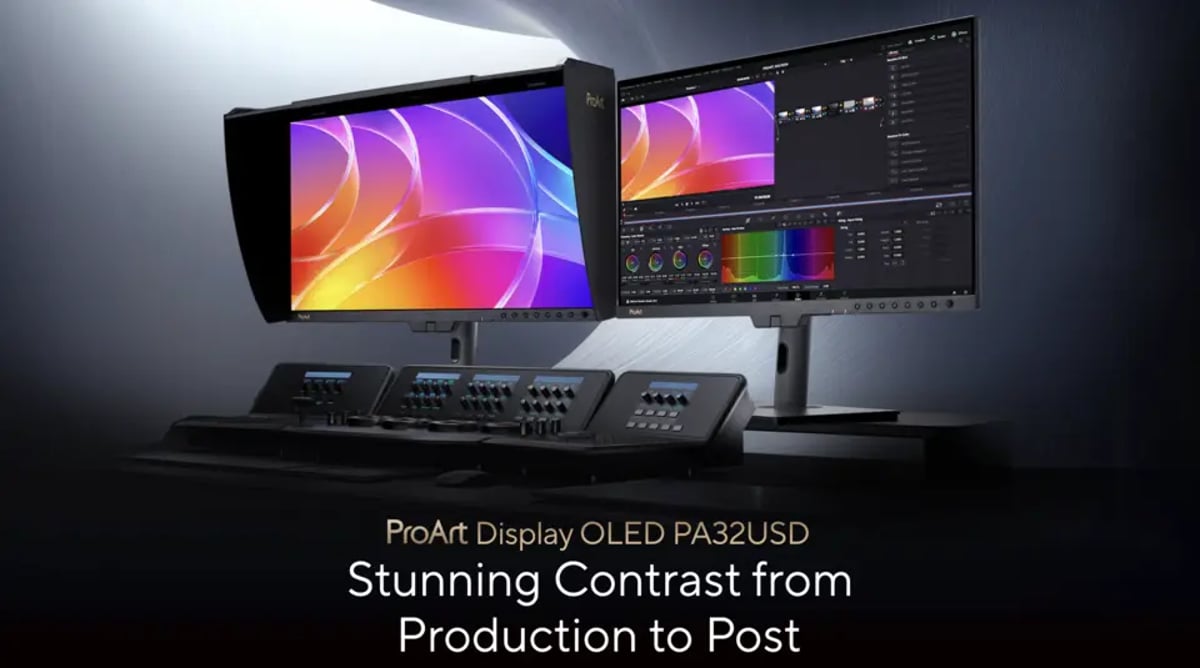
When does a desktop monitor become a reference display? It's a question that's become increasingly relevant as panel technology improves and manufacturers try to bridge the gap between consumer-grade screens and the highly specialized, often six-figure monitors found in top-tier finishing suites. ASUS is making a clear play for the latter with its latest offering, the ProArt Display OLED PA32USD. This 31.5-inch 4K QD-OLED monitor is positioned as a significant step up, particularly for colorists and post houses where input flexibility and color fidelity are paramount.
ASUS has expanded its ProArt OLED lineup, placing the PA32USD at the top. This monitor isn't just a larger version of its recently released 26.5-inch PA27USD sibling (which I've seen reviewers praise for its on-set utility), but rather a sturdier solution built for static, high-demand studio environments. We're looking at a 4K QD-OLED panel with a stated 240Hz refresh rate, 1000 nits peak HDR brightness, and a feature set that screams "broadcast." The inclusion of dual 12G-SDI inputs for uncompressed 4K60 video signals is particularly telling, signaling ASUS's intent to compete in the professional reference monitor space.
QD-OLED Panel and Color Performance: Beyond Consumer Expectations
Let's start with the panel itself, because that's where any reference monitor lives or dies. The PA32USD utilizes a 31.5-inch 16:9 QD-OLED panel, boasting a 3840 x 2160 resolution. The pixel pitch is 0.182mm, translating to a 140 ppi density. These are solid numbers for a monitor intended for critical viewing. More importantly, it's a QD-OLED, which means we're expecting the deep blacks and infinite contrast ratios inherent to OLED, combined with the wider color gamut and higher efficiency often associated with quantum dot technology.
Speaking of contrast, ASUS rates it at 1,500,000:1, and the panel carries VESA DisplayHDR True Black 400 certification. That's the kind of figure needed for truly accurate HDR representation. Typical brightness is quoted at 250 cd/m², but in HDR modes, it can hit 1000 cd/m² peak brightness over a 3% screen area. While 3% isn't full-field, it’s a respectable figure for specular highlights in HDR content and pushes it into the territory where it can be considered for HDR mastering, albeit with careful consideration of its limitations on larger bright areas. The pixel-level black control inherent to QD-OLED delivers the deep, unbiased blacks crucial for film and television finishing, with HDR10, HLG, and Dolby Vision all supported.
Color coverage is another critical specification. The PA32USD aims high with quoted figures of 99% DCI-P3, 100% sRGB, and 100% Rec. 709. With true 10-bit color depth, it can display over a billion colors. This is the bedrock for any monitor claiming "reference" status. But it's not just about broad coverage; it's about accuracy. Each unit ships factory calibrated to a Delta E value below 1, which in the real world means that color shifts should be imperceptible to the human eye. We’re talking about the kind of precision that a colorist needs when making final adjustments to a feature film or episodic.
ASUS details a "new three-scale process" for factory calibration, followed by grayscale tracking verification for uniformity. Uniformity across the panel is a constant battle for manufacturers, and any specific attention to this, especially for grayscale, is welcome. Skewed or uneven grayscale tracking can introduce subtle color casts that are difficult to mitigate in post and can undermine the perceived neutrality of a monitor.
The monitor also includes a comprehensive suite of ProArt preset modes. This isn't just a marketing bullet point; it’s essential for professionals. The ability to switch between native, sRGB, BT.709, Adobe RGB, P3, BT.2020, DICOM, multiple HDR PQ and HLG variants, and Dolby Vision, plus three user CAL slots, means this monitor can adapt to almost any professional workflow. For a colorist moving between theatrical DCI-P3, broadcast Rec. 709, and HDR deliverables, having these profiles readily available and accurate is a significant time-saver and workflow enhancer.
Dual 12G-SDI and Comprehensive I/O: The Professional Edge
Here's where the PA32USD truly differentiates itself from monitors aimed at, say, graphic designers or casual video editors. The inclusion of dual 12G-SDI inputs is not just an upgrade; it's a statement. SDI (Serial Digital Interface) has been the backbone of broadcast and cinematic video infrastructure for decades. 12G-SDI, specifically, supports uncompressed 4K signals at up to 60Hz.
Why dual? For redundancy, for higher bandwidth needs if pushing future standards, or for simple convenience in a busy facility. It means you can feed the monitor directly from a camera, a video switcher, a DIT cart, or a capture device without the need for external converters that can introduce latency or cost. This is the headline addition over the PA27USD, which featured a single SDI input. While one SDI input might suffice for on-set monitoring, a dedicated post-production display often benefits from additional options. In a grade suite, you might be feeding clean signals directly from a grading system, a scope box, or a review machine, and having two physical inputs means less re-cabling downtime.
Beyond SDI, the connectivity is extensive:
- Dual Thunderbolt 4 USB-C ports: One offering up to 96W Power Delivery, great for powering a connected laptop, and the other supporting daisy-chained displays. This is a nod to modern office or studio setups where a single cable connection to a laptop can handle video, data, and power.
The support for SDI frequencies from 33 to 135 KHz horizontal and 30 to 60 Hz vertical ensures compatibility with standard broadcast and cinema delivery rates. For anyone working with uncompressed or minimally compressed video feeds, particularly in live broadcast environments, studio monitoring, or DIT stations, these SDI inputs are non-negotiable. They offer reliability and signal integrity that are difficult to achieve with consumer-grade HDMI or DisplayPort connections, especially over longer cable runs.
Built-in Motorized Colorimeter and ProArt Calibration: Maintaining Accuracy
The ability to accurately calibrate a display is arguably as important as its base specifications. ASUS includes a built-in motorized colorimeter, which is a feature usually reserved for much higher-end professional monitors. This allows for automated self-calibration, removing the inconsistencies and manual errors that can arise from external probes and software. This is a significant advantage for long-term consistency in a busy post facility. Monitors drift over time, and regular, automated calibration is the only way to ensure the display maintains its initial accuracy.
The ProArt calibration software works with this built-in colorimeter, a tightly integrated ecosystem approach that minimizes variables. Users can schedule automated calibrations, ensuring the display is always operating within its calibrated parameters. This is particularly valuable for facilities that need to conform to strict color accuracy standards, such as those working on projects for major streaming platforms or broadcast networks, where display accuracy can be audited.
HDR Support and OLED Care: Reality vs. Marketing
HDR support is where a lot of monitors stumble. While the PA32USD claims 1000 nits peak HDR brightness over a 3% screen area, it's important for professionals to understand the implications. Full-field brightness on OLEDs is generally lower than peak specular highlights, and that's just the nature of the technology. For HDR mastering, a director or colorist might still prefer a dedicated, even brighter, reference monitor (often mini-LED or dual-layer LCD) that can sustain higher full-field luminance. However, for critical review of HDR material, especially for setting black levels, shadow detail, and intricate specular highlights, OLED remains king due to its pixel-level control and true black.
The fact that it supports multiple HDR PQ and HLG variants, along with Dolby Vision, means it's ready for various HDR workflows. Professionals are often working across different HDR standards, and the flexibility to switch between them accurately is crucial.
OLED technology, while offering incredible contrast, also introduces concerns about burn-in or image retention. ASUS has incorporated "OLED Care" features. While the exact details of these aren't specified beyond the name, similar technologies in other ProArt OLEDs usually include:
- Pixel shift: Slightly moving the entire image to prevent static elements (like UI overlays) from burning in.
These features are essential for a professional display that might be showing static user interfaces (UI) of grading software or scopes for extended periods.
Design, Hood, and Stand Options: Practicality in the Studio
For a reference monitor, the physical design and accessories matter. While a metal handle and low-profile feet (as seen on the PA27USD) position a monitor for on-set DIT work or director's monitoring, the PA32USD leans more towards a fixed studio setup. It's safe to assume it adheres to the ProArt aesthetic, which is generally functional and understated.
The inclusion of a monitor hood is critical for color-critical work. External light sources significantly impact perceived color and contrast, so a hood is a necessity, not an accessory, in any professional grading or VFX environment. ASUS is likely providing one designed specifically for the PA32USD's form factor.
Regarding stand options, while the source doesn't detail them, a professional monitor should offer:
- Height adjustment: For comfortable ergonomics during long sessions.
Where the PA32USD Fits: A Tool for Dedicated Post-Production
The PA32USD is clearly not an entry-level display. ASUS has confirmed pricing at $2,699 USD, with availability scheduled for June 2026. That positions it firmly in the upper-prosumer / entry-professional reference tier, well below true broadcast-grade reference displays while still representing a serious investment. Full specs are listed on the official ASUS product page.
Its feature set makes it an attractive option for:
- Colorists: The QD-OLED panel, high color accuracy, multiple color space presets, and automated calibration are tailor-made for critical color grading.
It's tempting to think of a 32-inch 4K monitor as just a large desktop screen, but the inclusion of dual 12G-SDI changes that perception entirely. This isn't just about screen real estate; it's about signal integrity and professional workflow integration. For editors who need to verify output from their NLE, particularly when working with high-bandwidth codecs, or DITs who might also be performing initial color passes, having that direct, uncompressed video input streamlines the process and builds confidence.
While the PA27USD might be the choice for mobile DIT carts or director's monitors (as a previous review suggested), the PA32USD seems optimized for a permanent, power-user station. Its size lends itself to being the primary display for a color grading suite, alongside scopes and other ancillary monitors, or as a high-fidelity client review monitor. The 240Hz refresh rate and adaptive sync, while perhaps overkill for traditional film workflows, might appeal to game cinematic artists or those bridging gaming and film content.
In an industry constantly chasing better image quality and more efficient workflows, monitors like the ASUS ProArt Display OLED PA32USD represent a crucial piece of the puzzle. They sit at the intersection of advanced panel technology and the rigorous demands of professional video production, providing an accurate window into the pixels that ultimately tell the story. For professionals, it’s always about trust in your tools. A display with this level of claimed accuracy and connectivity goes a long way towards building that trust in a critical environment.
- ZEISS Unveils CinCraft LensCore for Nuke: Ray-Traced Cinema Lens Optics for Digital Compositing
---
© 2026 BlockReel DAO. All rights reserved. Licensed under CC BY-NC-ND 4.0 • No AI Training.