Foley Planning: Cue Sheets and Recording Workflow
Executive Summary
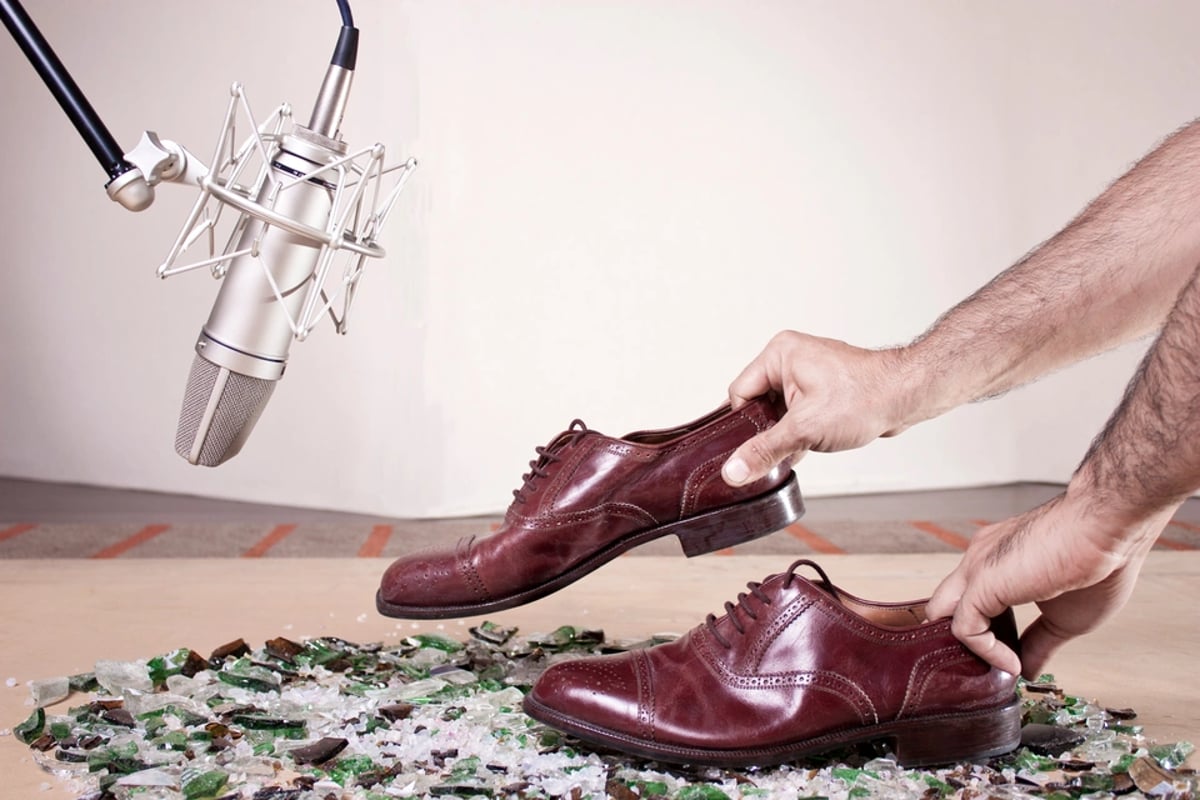
Foley is the part of the soundtrack that sells weight, presence, and intent. Done well it is invisible; done poorly it makes a film feel hollow. This guide walks the full Foley pipeline: spotting from a locked picture, building a cue sheet that the stage can actually work from, prepping surfaces and props, recording by passes (not by cue), editing into clean stems, and delivering on time and on budget. The goal is a workflow that scales from indie shorts to features without chaos.
Table of Contents
- Understanding Foley's Role in the Modern Post Workflow
Effective sound design elevates a film from a sequence of images to a visceral experience. Within audio post-production, Foley grounds characters and actions in a believable sonic reality. It replaces or enhances sounds captured on set, providing the tactile details that immerse an audience. This guide covers Foley planning, from initial spotting to efficient recording and delivery, so every rustle of clothing, every footstep, and every prop interaction contributes meaningfully to the final mix.
Understanding Foley's Role in the Modern Post Workflow
Foley is the art of performing and recording synchronized sound effects to picture on a dedicated stage. Unlike hard effects (pre-recorded sounds from a library) or production sound (audio captured during filming), Foley is specifically created to match on-screen actions, adding a layer of organic detail often missed or obscured during principal photography. This distinction is critical for understanding its unique contribution to a film's soundscape.
The need for Foley arises when production sound is either unusable due to noise, or when it lacks the presence and detail required for a specific scene. For instance, dialogue editing often involves smoothing out cuts, which can inadvertently remove subtle cloth movements or footfalls that accompany character turns. Foley artists reintroduce these elements, ensuring continuity and realism. It also enhances key character and environmental actions, making a punch feel harder or a door creak with more menace.
Integrating Foley planning into the overall post-production schedule is paramount. Foley typically begins after picture lock, or at least a very stable picture edit, and after the basic dialogue edit is complete. This timing lets the Foley team work with the final visual and editorial choices, avoiding wasted effort on scenes that may be cut or altered. Often, Foley recording runs in parallel with or just before the sound effects (FX) premix. Early spotting sessions, involving the director, supervising sound editor, and re-recording mixer, are essential. These sessions define the desired sonic aesthetic and prevent over-recording unnecessary sounds or, conversely, missing critical ones.
DAWs serve as the central hub for Foley work. Avid Pro Tools Studio and Ultimate are industry standards for film post-production, offering frame-accurate editing, video playback, and advanced routing. Pro Tools Ultimate supports a high track count and integrates with hardware like Avid HDX/Carbon for low-latency performance. Steinberg Nuendo is another popular choice, particularly favored for its post-specific features such as ReConform, ADR Taker, and advanced automation. For video playback and sync, facilities often rely on hardware interfaces like Blackmagic Design DeckLink/UltraStudio or AJA cards.
Production sound acts as a guide track for Foley. While Foley artists perform new sounds, they reference the original production audio for timing, intensity, and spatial cues. Sync relationships are maintained with timecode. Historically, optical film prints required sound to lead picture by a fixed offset that varied with film gauge, and that timing discipline carries over to today's digital workflows where frame-accurate sync is non-negotiable.
Foley planning prioritizes actions by character and prop, rather than attempting to record every single sound on screen. This strategic approach manages both time and budget. A common mistake is treating Foley as an afterthought, booking stage time too late in the schedule and rushing the process. This invariably leads to compromised quality and re-work. Another pitfall is assuming Foley solely covers footsteps, neglecting the vital contributions of cloth movement and hand props, which add intimacy and presence to characters, especially during dialogue scenes. Without clear spotting notes, there is a high risk of misalignment between the director's vision and the recorded Foley coverage.
💡 Pro Tip: Supervising sound editors often categorize Foley into Priority A (story-critical), Priority B (supportive), and Priority C (background texture). This tiered approach guides stage time allocation. For independent productions, establishing a clear Foley style (hyper-real or naturalistic) during the initial spotting session can prevent costly re-takes and ensure creative alignment.
Building an Effective Foley Cue Sheet
The foundation of an efficient Foley session is a meticulously crafted cue sheet. This document translates the visual narrative into a detailed list of sounds to be performed. The process begins with a locked picture, ideally with burn-in timecode (commonly 23.976, 24, 25, or 29.97 frames per second). Working from a temporary cut almost always results in wasted effort when picture changes inevitably occur.
The spotting session is a collaborative effort, typically involving the supervising sound editor, the Foley artist, the Foley mixer, and often the picture editor or director. During this session, the film is watched in detail, and every required Foley sound is logged. Key elements to identify include:
* Character-specific cues: Footsteps, cloth rustles, body movements, and hand props directly associated with each character.
A typical cue sheet will include several essential fields:
* Reel / Scene / Shot: For easy navigation and reference. * Timecode In/Out: Precise start and end points for each sound. * Character / Source: Who or what is making the sound. * Description: A detailed explanation (e.g., "Hero: leather jacket cloth as he sits, emphasize weight and creak"). * Category: Feet, Cloth, Props, or Specifics for easy grouping. * Track / Group Assignment: Pre-defined track assignments for organization during recording and mixing. * Performance Notes: Critical details on emotion, perspective (close-up vs. wide shot), foreground/background emphasis, and desired microphone distance.
While specialized software exists, many facilities still rely on spreadsheet applications like Microsoft Excel, Google Sheets, or Apple Numbers for creating cue sheets due to their flexibility and ease of sharing. For multi-episode series, tools like Airtable are sometimes used to manage recurring character props and templates. DAWs also offer features that can assist: Nuendo's marker and cycle marker tracks can be exported as CSV for cue sheet generation, and Pro Tools' Memory Locations and Clip Comments serve a similar purpose. Furthermore, ADR/spotting utilities such as Nuendo ADR Taker, VoiceQ, or EdiPrompt/EdiCue (by Sounds In Sync) can be repurposed for Foley planning.
Established practice often involves building show-specific templates with standard track naming conventions (e.g., FT L, FT R, Cloth 1, Cloth 2, Props A, Props B). This standardization streamlines cueing. Cue sheets are typically exported as PDF or CSV files for display on tablets or printed copies on the Foley stage.
A common mistake in cue sheet creation is over-detailing every micro-action, which leads to an unmanageable document and wasted stage time. Conversely, under-specifying the emotional or spatial context (not noting that a character is exhausted or wounded) can result in a performance that does not match the on-screen action. Another error is combining multiple distinct actions into a single ambiguous cue, which often causes the Foley team to miss sounds or require re-takes.
💡 Pro Tip: Use color coding in your cue sheets to distinguish characters, categories (Feet, Cloth, Props), or priority levels. For recurring actions, define macro cues with reusable descriptions ("Hero standard walk on tile") and only note deviations. For more on organizing your editorial workflow, see our guide on Editorial Track Layout Standards: Separate DX/MX/FX to Keep AAF Usable.
Pre-Production for the Foley Session: Staging, Surfaces, and Props
Successful Foley recording hinges on thorough pre-production: meticulous planning of the Foley stage setup, surface selection, and prop inventory.
The first step is surface planning. Based on the cue sheet, identify all recurring surfaces seen in the picture: wood, tile, concrete, carpet, gravel, metal, grass, and so on. Professional Foley stages, such as those at Skywalker Sound or Warner Bros., maintain multiple pits filled with various materials. For independent setups, modular platforms made of plywood or MDF, often with glued-down tile or linoleum, are common. Portable surface boxes or shallow pits filled with gravel, sand, or dirt can also be used. A critical mistake is not matching surfaces to the picture, such as recording hard footsteps for a scene clearly depicting a carpeted floor, which inevitably leads to compromises during the mix.
Prop inventory is equally vital. Based on the cue sheet, the Foley team pulls specific items:
* Footwear: Matched to character weight, heel type, and material. Using generic sneakers for all characters will result in a flat, unconvincing soundscape. * Clothing: A range of materials like denim, leather, synthetics, and uniforms. * General props: Doors, weapons, bags, glass, kitchen items, office supplies, and tech devices.
A common pitfall is using noisy props (clothes with synthetic lining) when subtle cloth sounds are required, forcing the mixer to suppress unwanted frequencies.
Session planning involves grouping cues strategically to maximize efficiency. Cues can be grouped by character, by surface type, or by the specific prop required. This grouping allows for continuous passes, reducing setup changes and saving stage time. For instance, all of Character A's footsteps on a wooden floor for a particular scene might be recorded in one continuous pass.
For recording, a diverse set of microphones is essential.
* Shotgun/Directional Microphones: The Sennheiser MKH 416 remains a film standard due to its focused pickup pattern. Other options include the Sennheiser MKH 8060/8070 and Schoeps CMIT 5U. These are ideal for isolating specific sounds and rejecting stage ambience. * Large-Diaphragm Condensers (LDC): Neumann U 87 Ai, TLM 103, and AKG C414 XLS/XLII are versatile for capturing a broader range of sounds with detail and warmth. Audio-Technica AT4050 is another solid option. * Dynamic Microphones: Shure SM57/SM58 and Sennheiser MD 421-II are robust choices for aggressive sounds and impacts, where high SPL handling is crucial.
Preamps and audio interfaces are also critical. Universal Audio Apollo series (x8p, x4), RME Fireface UFX II/UCX II, and Focusrite Clarett+/Red series are popular choices. Monitoring is typically done through accurate nearfield monitors like Genelec 8030/8040, Yamaha HS series, or Neumann KH 80/120, which provide a revealing soundstage for critical listening.
A standard practice on Foley stages is a two-mic setup: a close mic for detail and intimacy, and a room or ambient mic to capture the natural space. This gives the mixer flexibility to blend the two for desired spatial characteristics. Many stages also maintain a "hero pit" for general footwork, alongside several specialized pits for unique surfaces.
💡 Pro Tip: Keep a quiet cloth wardrobe specifically chosen for pleasant sound under close mics, featuring soft cotton, denim, and leather jackets with gentle linings. Maintaining a Foley bible or internal reference document detailing which props and footwear worked best for past projects, including mic distances and EQ notes, can streamline future sessions.
Efficient Foley Recording Workflow: Passes, Grouping, and Performance
The actual recording session is where the detailed planning translates into sonic reality. Efficiency on the Foley stage is achieved by strategically organizing takes, optimizing microphone technique, and delivering consistent performances.
The most efficient approach is to record by passes rather than by individual cues. For example, instead of stopping after every single footstep, the Foley artist will run through all of Character A's footsteps for an entire scene, or even a sequence of scenes, in one or two continuous passes. The same applies to cloth: perform all subtle character movements continuously while watching the scene unfold. This method reduces the overhead of stopping, resetting, and re-cueing, preserving the flow of the performance.
Microphone placement is dynamic and crucial. Typically, microphones are positioned 1 to 3 feet from the sound source for general Foley, often angled slightly off-axis to mitigate harsh transients. Mic distance and perspective should match the camera's shot size: a closer mic for a close-up shot will capture intimate detail, while a slightly further mic for a wide shot will incorporate more of the room's natural ambience.
Track layout within the DAW is essential for post-recording editing and mixing. Use dedicated stems:
* Feet: Often recorded as a mono track or a stereo pair per character. * Cloth: Typically mono. * Props: Stereo pairs can be useful for actions that require spatial perspective.
Labeling tracks clearly by character and category ("Hero_Feet_Leather", "Villain_Cloth_Denim") simplifies subsequent editing and mixing.
On-the-fly decisions are a hallmark of experienced Foley teams. The mixer and Foley artist continuously adjust performance and mic placement while watching the picture, rather than relying on heavy post-processing to fix fundamental issues.
For DAWs, Pro Tools Ultimate is ideal for its high track counts, punch-in capabilities, playlists, and integration with conforming tools like EdiLoad or Conformalizer for handling picture changes. Nuendo also offers ReConform features and sophisticated automation. Control surfaces such as Avid S1/S4/S6, Avid Dock, PreSonus FaderPort, or SSL UF8 enable quick level adjustments and record-enable functions. When picture changes occur after recording has begun, conforming tools like EdiLoad (Sounds in Sync) and Conformalizer (The Cargo Cult) are indispensable for re-syncing Foley sessions.
This prevents the need to re-record entire sections due to minor picture edits. For more on handling picture changes, refer to Handles for Turnovers: What to Choose and How It Affects Reconforms.
Established practice records with peaks comfortably below 0 dBFS, often targeting around -12 dBFS peaks for dynamic sounds. This provides ample headroom and prevents digital clipping. Using playlists in Pro Tools or Nuendo's take system allows for recording multiple performances of the same cue, enabling the selection of the best take later. For complex scenes like fights, Foley teams typically perform multiple passes: one for body falls/impacts, another for footwork, then cloth, and finally specific props (weapons, furniture).
A common mistake is recording everything as loud as possible, leading to clipped audio and dynamics that are difficult to manage in the mix. Another error is maintaining the same mic position for all scenes, irrespective of shot size and perspective, which flattens the sonic landscape. Crucially, not playing back recorded takes against picture on the stage can lead to sync surprises once the audio reaches the editing room.
💡 Pro Tip: For maximum efficiency, perform guide passes first. These are rough, lower-stakes run-throughs to lock in timing and general feel. A second pass can then focus on performance quality and nuance. Program Pro Tools memory locations or Nuendo markers for each scene onto a control surface or Stream Deck for instant navigation. Rename clips during or immediately after each pass using consistent naming conventions ("R1_SC03_CharA_Feet_Grass_TK1") to avoid confusion during editing.
Post-Recording Foley Editing, Organization, and Delivery
After the recording session, the raw Foley tracks undergo a crucial editing phase. This stage refines the performances, cleans up unwanted noises, and prepares the audio for the final mix.
The primary goals of Foley editing are:
* Tighten sync to picture: Adjusting timing precisely to match on-screen actions. * Remove unwanted noises: Eliminating prop bumps, accidental stage noises, or unintended cloth rustles. * Crossfade between takes: Creating smooth, continuous actions from multiple recorded passes.
Organization is paramount for efficient mixing. Foley should be kept on dedicated tracks and stem groups:
* Feet: Stereo pair(s) per character or scene type. * Cloth: Mono or stereo tracks. * Props and Specifics: Separate from general atmosphere.
Maintaining consistent naming conventions across reels or episodes is vital for large projects.
For editing, DAWs like Pro Tools or Nuendo are used for detailed clip editing, fade shaping, and clip gain adjustments. Tools like iZotope RX (currently shipping RX 11) are invaluable for repairing problematic recordings through de-noising, de-clicking, and other restoration processes. For organization and delivery, naming tools within DAWs or batch renamers like those in Soundminer can be used. Final mix files are typically delivered via shared servers or asset management systems such as Avid Nexis, LucidLink, or Aspera in larger facilities.
Established practice has Foley editors working with the same track layout as the re-recording stage. This minimizes re-routing during the mix. Clean, consistent region or clip boundaries, aligned with natural action transitions and fades, enable mixers to quickly balance Foley within the overall sound design. It is also standard to maintain a master Foley track sheet, often linked to the original cue sheet, which marks which cues were recorded, edited, or replaced by library FX.
A common mistake is delivering Foley collapsed into a single stereo track without separation by category or character. This severely limits the mixer's flexibility. Over-editing, which removes intentional performance nuances (subtle squeaks, small rustles) that the mixer might want to use, is another pitfall. Inconsistent naming and track layouts across different reels or episodes can significantly slow down mix sessions and introduce errors.
💡 Pro Tip: Apply subtle clip gain and EQ during editing to even out performance inconsistencies. This provides a better starting point for mixers without locking them into heavy compression. Save selects playlists containing alternate takes for tricky cues; mixers sometimes request a different performance flavor on the stage. Always note any cues where Foley could not perfectly match production or ADR (unusual shoes, unique props) and flag these to the supervising sound editor. For more on the final stages of audio, consider our Final Audio QC Checklist: Sync, Peaks, Tails, Phase, and Printmaster Sanity.
Budgeting, Time Management, and Avoiding Overkill
Effective Foley planning extends beyond the creative and technical aspects; it encompasses pragmatic considerations of time and budget. Without realistic scoping and prioritization, even the most meticulous planning can unravel.
Foley time estimates should be based on the project's length, the number of characters, the complexity of movement, and the genre. A dialogue-heavy drama will require different Foley resources than an action film or a period piece. Benchmarking against similar past projects is often more accurate than using arbitrary page counts.
Prioritization is key, especially when resources are limited. Identify story-critical sequences and allocate more stage time to them. For low-budget projects, a hybrid approach is often necessary: record Foley for essential elements like main character feet, cloth, and hero props, and rely on library sound effects for minor background details. While specific average numbers vary widely, feature films commonly allocate several days for spotting and cue sheet prep, followed by several days to multiple weeks for recording, depending on scope. Separate time or personnel are then assigned for editing and cleanup.
Multi-episode series optimize by reusing character setups and props across episodes, learning from prior sessions.
Tools for scheduling and budget tracking are vital. Production management platforms like Shotgrid or ftrack, or simpler tools such as Trello, Notion, or Excel, can track reels, cue sheet status, and recording/editing progress. For budgeting, simple spreadsheets or production accounting software like Movie Magic Budgeting (for larger productions) are used to allocate Foley days and staff time.
A common mistake is attempting to Foley every visible action in the frame, regardless of its relevance to the mix. This leads to an inflated budget and unnecessary work. Another error is booking an experienced Foley stage but not budgeting adequate time for proper cue sheet creation and editing, which diminishes the quality of the recorded material. Failing to identify opportunities to reuse Foley setups (recording all office chair movements on one day, all car interior sounds on another) is a missed opportunity for efficiency.
💡 Pro Tip: Build a personal Foley library from your best recordings of recurring sounds, such as a specific hero jacket or character's boots. This can reduce future stage time. When time is tight, prioritize: 1) feet for main characters in key scenes, 2) cloth in close-up dialogue scenes, and 3) hero props that directly interact with story beats (guns, phones, doors). Involve the re-recording mixer early to understand their approach to Foley versus production sound. This insight can prevent recording material that will ultimately be buried or muted in the final mix.
Interface & Handoff Notes
Upstream Inputs (What you receive):
* Picture Locked QuickTime/ProRes: With burn-in timecode and often a 2-pop or head/tail sync reference. * AAF/OMF from Picture Editorial: Containing production sound, dialogue, temp music, and temp sound effects, precisely cut to the locked picture. This serves as the primary guide track. * Dialogue Edit Session: Often a Pro Tools session (or equivalent) with cleaned dialogue, providing context for cloth and movement cues around character lines. * Spotting Notes: Detailed notes from supervising sound editor and director outlining specific Foley needs and aesthetic choices.
Downstream Outputs (What you deliver):
* Foley Recording Session: A complete Pro Tools/Nuendo session with all recorded and edited Foley tracks, clearly organized and labeled by character, category, and scene. * Foley Stems: Consolidated audio files (FX-Foley-Feet, FX-Foley-Props, FX-Foley-Cloth) delivered at the project's sample rate and bit depth (commonly 48kHz/24-bit). * Foley Cue Sheet (Updated): A final version of the cue sheet indicating what was recorded, edited, and any specific notes for the re-recording mixer.
Top 3 Failure Modes:
1. Picture Changes After Spotting/Recording: Leads to extensive re-conforming or re-recording, wasting time and budget. Using tools like EdiLoad proactively can mitigate this.
Browse This Cluster
- Reference Video Specs for Sound: Burn-Ins That Prevent Sync Disputes
Next Steps
For critical pre-production considerations, read AAF vs OMF vs EDL for Sound: What Each Is Good For and Common Traps, and ensure your picture editor provides clean handoffs with Sound Turnover Checklist for Picture Editors: Premiere, Avid, and Resolve. Pair this guide with ADR Planning From the Script for full character-sound coverage.
---
© 2026 BlockReel DAO. All rights reserved. Licensed under CC BY-NC-ND 4.0 • No AI Training.