Invisible ADR: Dialogue Match & Scene Consistency Guide
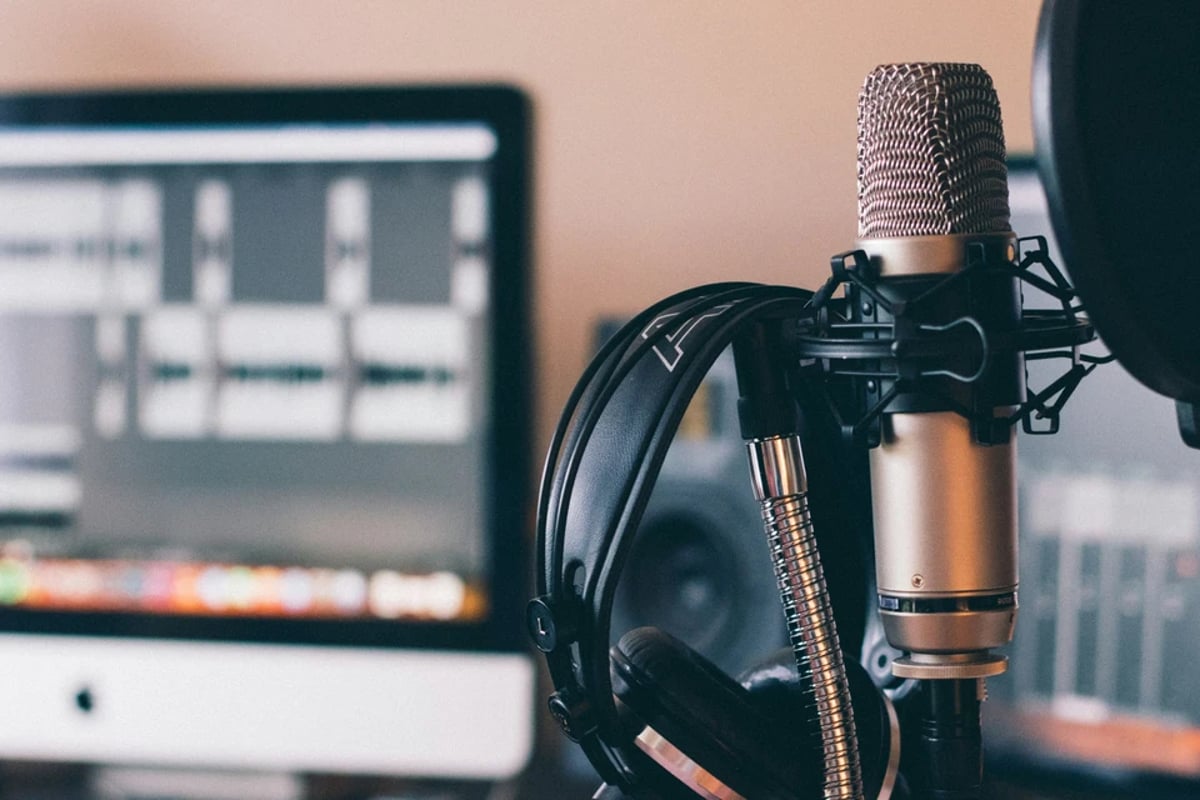
Achieving invisible dialogue in film often requires replacing production audio with newly recorded lines, a process known as Automated Dialogue Replacement (ADR). The true mark of mastery in post-production sound is when this replacement goes entirely unnoticed by the audience. This guide explores the meticulous craft of making ADR invisible, focusing on matching performance, acoustics, and technical specifications so that every line, whether original or replaced, feels organically part of the scene. For a comprehensive overview of sound post-production and audio finishing, see our Production Dialogue and ADR pillar guide.
Table of Contents
- Dialogue Editing & ADR Decision-Making: When to Replace vs. Repair
Dialogue Editing & ADR Decision-Making: When to Replace vs. Repair
Invisible ADR begins not in the recording booth, but in the dialogue editor's suite, with intelligent decisions about what truly needs replacing versus what can be salvaged. The goal is to preserve as much original performance as possible, as it inherently carries the authenticity of the moment.
The first step in any professional dialogue editing workflow is to ingest and organize all production dialogue. This involves syncing the recorded audio to picture and building a "performance comp" from the best on-set takes. Dialogue editors rename clips consistently (e.g., `S03_T02_LAV`) and organize them by scene, take, and microphone type for rapid access. This foundational work ensures that every available piece of performance is considered before committing to replacement.
Once a comprehensive assembly of production dialogue is complete, the dialogue editor identifies potential ADR candidates during the spotting session. These are lines that, after initial cleanup, remain unusable due to excessive noise, unintelligibility, or script changes. These problematic lines are clearly marked in the Digital Audio Workstation (DAW) with markers and notes, including timecode and the specific reason for replacement (e.g., "traffic noise," "line flub," "accent change").
A critical principle is to prefer surgical repair over wholesale replacement. Modern dialogue restoration tools like iZotope RX (versions 10/11 are currently shipping) offer modules such as De-click, De-crackle, Spectral Repair, and Voice De-noise. These tools can often salvage problem lines by removing specific artifacts without resorting to ADR. Applying these processes at the clip level within the DAW allows for quick A/B comparisons and ensures that only necessary processing is applied. Fixing level jumps with clip gain or automation is also preferred over ADR whenever possible, as it maintains the original performance.
Before definitively calling for ADR, dialogue editors must check for performance continuity. Any proposed ADR line must not disrupt the emotional arc or the actor's intended performance across the scene. The replacement needs to integrate cleanly into the existing flow.
Finally, technical checks are performed. This includes confirming ambience match, phase and mono compatibility, and sample rate/bit depth alignment with the mix stage's expectations. Only lines that fail these checks, even after diligent repair attempts, are then moved to the ADR list. This meticulous process ensures that ADR is truly a last resort for cinema and high-end television productions, where dialogue editors are expected to exhaust all repair options before scheduling costly ADR sessions. Professional ADR stages commonly bill between $150 and $500 per hour, emphasizing the need for efficiency and informed decision-making.
The standard workflow dictates that after picture lock, the dialogue editor performs the initial edit, creates the ADR list, and then prepares for ADR recording. This leads into the dialogue premix and final mix, with the dialogue editor acting as the essential bridge between picture editorial and the ADR/mix teams. Detailed ADR lists, including take numbers, timecodes, and script revisions, are standard deliverables from dialogue editorial.
💡 Pro Tip: Dialogue editors often build a "worst-case" ADR list for critical issues and a "nice-to-have" list for minor improvements. This allows for prioritization based on budget and mix notes, ensuring the most audible problems are addressed first.
A common filmmaker mistake is treating ADR as a blanket fix for "bad production sound" without attempting cleanup first. This often leads to noticeable mismatches between ADR and the surviving production dialogue. Another error is failing to mark ADR needs early, resulting in rushed, poorly planned sessions and incomplete coverage of problem lines. Ignoring sample rate and bit depth alignment between production audio, ADR, and delivery specifications can also introduce subtle artifacts or level inconsistencies that become apparent later in the process.
When you suspect ADR might be needed, tagging alternate takes and wild lines recorded on set can be invaluable. These can often bridge gaps or significantly reduce the overall ADR load. Always A/B processed audio against the original at regular intervals to avoid over-processing that makes a line sound more "ADR-like" than the original.
Performance & Timing Match: Recreating the On-Set Delivery
Even with perfect technical matching, ADR will feel unnatural if the performance, timing, and emotional intensity do not align with the original production take. The goal is to make the actor's re-recorded performance indistinguishable from their on-set delivery.
The primary best practice for performance matching is to use the production dialogue as the ultimate reference. ADR actors and directors meticulously listen to the original line and watch the scene. They focus on matching the rhythm, natural pauses, breath patterns, and emotional stakes of the performance before recording. This rigorous preparation ensures that the re-recorded line maintains the integrity of the character's emotional journey.
To achieve precise timing and lip-sync, ADR sessions provide actors with visual and audio cues. Picture playback is essential, allowing actors to see their on-screen performance. A feed of the original production dialogue is also provided, enabling actors to "shadow" their own original delivery and hit mouth flaps precisely. Professional ADR setups utilize visual streamers and punches (horizontal lines and flashes on screen) to cue actors for exact timing, integrated into professional DAWs and specialized ADR software.
Matching the emotional arc of the scene is paramount. Dialogue editors constantly check for performance continuity across edits. ADR must respect how tension builds and releases throughout a scene, ensuring that a re-recorded line doesn't suddenly shift the character's emotional state or delivery in a jarring way.
To provide flexibility in post-production, it is standard practice to record multiple performance variants for each ADR line. Capturing several takes with slightly different energy, emphasis, or subtle nuances gives editors options to best match the nuanced production performances. This is especially crucial for lines that need to blend with existing dialogue.
Professional ADR stages are designed around achieving precise lip-sync and timing. These sessions often use timecode-locked picture and audio, with dedicated ADR recordists meticulously monitoring sync and performance. Directors commonly attend ADR sessions (in person or remotely) to protect the integrity of the character's performance, ensuring the re-recorded lines maintain the director's vision, not just technical clarity.
💡 Pro Tip: Professionals often record lead-in and tail lines, not just the individual word or phrase being replaced. This allows the ADR to be cut in mid-phrase and crossfaded with production audio, creating invisible transitions that hide the edit point.
A common filmmaker mistake is recording ADR without picture playback, relying solely on the script. This almost invariably leads to timing errors, unnatural phrasing, and a disconnect between the actor's voice and their on-screen mouth movements. Another error is asking ADR actors to drastically "improve" or change their performance, which can cause jarring emotional jumps between the ADR and the surviving production lines. Neglecting subtle non-verbal sounds (whispers, shouts, and overlapping lines have their own rules), breaths, sighs, or small vocal noises, can also make ADR feel detached from the physical performance on screen. These small details contribute significantly to the perceived authenticity of a line.
A frequently employed technique is to record ADR slightly "under-performed." This provides the re-recording mixer with more latitude to add intensity, level, and EQ during the final mix, which often blends more naturally with production sound than an over-acted, "record-booth-y" performance. When only a single word in a sentence needs replacing, experts sometimes record the entire sentence and then surgically drop in the one word, preserving the natural flow and avoiding tonal discontinuities.
Acoustic & Tonal Matching: Room Tone, Mic Choice, and Reverb
Even with perfectly matched performance and timing, ADR will stand out if it sounds like it was recorded in a different acoustic space. This section focuses on matching the sonic characteristics of the original recording environment, including room tone, microphone technique, and acoustic simulation.
A crucial practice is to capture and use room tone aggressively. Dialogue editors meticulously collect room tone from production recordings and use it to fill gaps, smooth edits, and create a consistent acoustic bed across cuts. Matching ambience, especially reverb tails, is a standard editorial check. The goal is to ensure that the space around the dialogue remains consistent, even when lines are sourced from different recordings.
Matching the microphone type and placement used on set is also vital. If the production dialogue relied heavily on a shotgun boom mic placed at a certain distance, the ADR should ideally be recorded with a similar mic type, attempting to approximate the distance and angle to the actor's mouth. This helps to maintain consistent proximity effect and tonal characteristics. If lavalier mics were dominant on set, ADR might even be recorded with a lav to match that specific sound profile.
To integrate ADR into the original acoustic space, the production space must be simulated using reverb and early reflections. Convolution or algorithmic reverb plugins, such as Altiverb (Audio Ease) or LiquidSonics Reverberate/Seventh Heaven, are used to mimic the original room's decay time and character. The aim is to apply just enough reverb to make the ADR blend cleanly with the production backgrounds, without making it sound overtly processed.
💡 Pro Tip: When production dialogue is heavily lav-based, some experts record ADR using both boom and lavalier microphones. This provides flexibility to choose or blend the recordings on a line-by-line basis, allowing for a closer match to the production mic perspective.
Finally, dialogue editors consistently check for mono compatibility and phase issues. Collapsing dialogue sections to mono helps identify cancellations or phase problems that might make ADR sound thin or disappear on certain playback systems, particularly on television, mobile devices, or in mono-summed theatrical environments.
Widely used tools for dialogue restoration and tonal matching include iZotope RX modules like EQ Match and Ambience Match. These can align the spectral profile and ambient characteristics of ADR to production dialogue, making it easier for the re-recording mixer to blend the two. For spatial dialogue work, especially in multichannel mixes, tools like AltSpanner can manipulate raw production audio within Pro Tools sessions. Noise and ambience management tools, also found in RX, are used to match the ADR's noise floor to the production rather than making it unnaturally dead, which can highlight the difference.
A common filmmaker mistake is recording ADR in a completely dead booth and leaving it dry. This makes the lines feel disconnected from the room and the other characters. Over-using noise reduction on ADR can also be detrimental, stripping the lines of natural texture and inadvertently highlighting the difference from noisier production lines. Ignoring mic choice and placement, for instance, recording ADR with a studio vocal mic very close to the mouth when production used distant boom mics, results in inconsistent proximity effect and tone.
Professionals often add a subtle, controlled layer of noise (matching the production room tone) behind ADR lines. This helps the ADR sit within the scene's ambience rather than floating in an unnatural silence. Another frequent trick is to EQ-match ADR to a nearby production line, then subtly back off that EQ by a small amount to avoid over-processing while retaining the tonal match.
Technical Consistency & Loudness: Making ADR Sit in the Mix
For ADR to be truly invisible, it must be indistinguishable from production dialogue in terms of level, dynamics, and spectral balance. These technical aspects are crucial for ensuring the ADR doesn't jump out or recede unnaturally within the mix.
Establishing a consistent reference dialogue level is fundamental. Dialogue editors and re-recording mixers aim for a uniform perceived loudness, often using standards like LUFS or dialog norm, and mix ADR to match existing production lines. This leaves appropriate headroom for the final mix dynamics. Consistency prevents the audience from being pulled out of the story by sudden shifts in dialogue volume.
Rather than relying on static volume adjustments, professional workflows use clip gain and detailed fader automation to address sudden level jumps. This allows for transparent transitions between ADR and production dialogue, ensuring that every word remains intelligible without drawing attention to changes in source.
Before delivering to the final mix, it's essential to verify loudness and headroom using professional loudness meters. Tools like iZotope Insight 2 or NUGEN VisLM, which support ITU-R BS.1770 and EBU R128 norms, help confirm that ADR-heavy scenes meet the mix stage's reference level and comply with broadcaster or cinema standards.
💡 Pro Tip: Dialogue mixers often treat ADR as part of the same dialogue bus as production dialogue. This allows shared bus processing (like compression or gentle EQ) to be applied across all dialogue, helping to glue them together tonally and dynamically.
Listening on multiple playback systems is a critical final check. This includes various speakers and headphones, ensuring that ADR integration maintains intelligibility and balance without introducing phase issues across different listening environments.
Loudness compliance for broadcast and streaming is strictly enforced via standards like ITU-R BS.1770 and EBU R128. Dialogue mixers consistently aim to keep both ADR and production dialogue within a consistent perceived loudness range. Professional dialogue editing workflows also heavily emphasize phase and mono compatibility checks, especially when ADR is combined with multi-microphone production recordings.
Common filmmaker mistakes include mixing ADR louder than production dialogue in an attempt to "clarify" lines. This invariably draws unwanted attention to the replacement. Another error is using heavy compression on ADR tracks while leaving production dialogue more natural, resulting in "radio-like" ADR that doesn't sit cohesively within the scene. Ignoring mono collapses and phase checks can cause ADR to thin out or disappear entirely on some playback systems, leading to intelligibility problems for the audience.
A subtle pre-delay tweak in reverb on ADR can maintain intelligibility while placing the voice in the same acoustic space as production. Professionals will sometimes ride EQ over time on ADR lines, subtly brightening consonants or warming sustained vowels, to mimic the organic tonal shifts that occur with physical movement and natural speech.
Workflow & Collaboration: Integrating ADR into the Post Pipeline
Invisible ADR is the product of coordinated work across multiple departments: picture editorial, dialogue editorial, the ADR stage, and the re-recording mix. A reliable workflow ensures consistency and prevents miscommunication.
A central best practice is centralized session management in a professional DAW, typically Avid Pro Tools. This main session serves for dialogue comping, ADR cueing, and mix preparation, preventing mismatched versions and missing cues. Pro Tools' reliable workflow for importing AAFs from picture editorial, building tracks by mic type (boom, lav, plant), and creating dedicated ADR tracks with clear naming conventions is industry standard.
Clear ADR lists and communication are paramount. Dialogue editors deliver comprehensive ADR lists that include timecodes, the exact text needing replacement, performance notes, and any technical issues. ADR engineers use these lists to prepare the recording sessions.
The import of AAF/OMF files from picture editorial into Pro Tools is the starting point. Tools like AltSpanner (currently shipping) can then read the session and sync raw production files, allowing dialogue editors to replace questionable picture-edit audio with full-quality original recordings. This ensures that the highest quality source material is always being worked with.
💡 Pro Tip: Experienced dialogue editors frequently build "problem reels", short sequences containing all ADR-heavy scenes. These are screened with the director and mixer before the final mix, ensuring expectations are aligned and last-minute surprises are avoided.
Documentation of problems and preferences directly within the session is crucial. Clip markers and comments are systematically used to communicate ADR status, the processing applied (e.g., "RX De-click used"), and any mix notes from editors to re-recording mixers. This "dialogue toolbox" concept, assembling all production mics, alternates, and ADR in one unified session, is widely used in professional post workflows.
It is standard for both indie and studio features to budget for ADR based on initial dialogue edit findings. Costs can range from $500-$1,500 for a quick ADR pass on an indie feature to tens or hundreds of thousands for large studio projects requiring multiple ADR days.
Common filmmaker mistakes include delivering poorly organized sessions to dialogue editors, characterized by inconsistent naming, missing original audio, or a lack of ADR notes. This forces rushed decisions and can lead to sub-optimal ADR integration. Failing to align sample rate and bit depth across production, ADR, and delivery can also create subtle degradation or significant sync headaches. Not looping ADR approvals back to the editor and director can result in last-minute surprises on the mix stage, often leading to hasty and less-than-ideal fixes.
Professionals maintain a "process log" within the session, meticulously documenting which tools were used on which lines (e.g., "RX De-click," "Ambience Match"). This makes revisions and quality control much faster. A good practice is to lock ADR takes to the same timecode and track layout conventions as production dialogue, allowing editors and mixers to swap lines cleanly without re-conforming the entire session.
Cost, Planning, and Avoiding ADR in the First Place
The most invisible ADR is often the ADR that doesn't need to happen. Strategic planning, realistic budgeting, and proactive on-set practices significantly reduce the reliance on ADR, while also making necessary ADR more consistent and effective.
Realistic budgeting for ADR is non-negotiable. Professional ADR stages in major markets typically cost $150-$500 per hour, including the room and engineer. While an indie feature might spend $500-$1,500 on a quick ADR session, large studio projects, with extensive cast and complex needs, can accrue tens or even hundreds of thousands of dollars in ADR costs. Many productions now treat ADR cost as a contingency line item, understanding that careful dialogue editing and sound capture can significantly reduce the actual spend.
A key preventive measure is recording "safety" material on set. This includes capturing wild lines and alternate takes whenever potential problems are identified during production. These can often be used instead of ADR or serve as invaluable performance guides for actors during ADR sessions.
A reliable on-set sound strategy is fundamental. Working closely with production sound mixers to prioritize clean dialogue capture, through correct boom positioning, managing lavalier rustle, and proactive monitoring of noisy locations, minimizes the need for ADR. This collaborative approach ensures that the foundation of the film's sound is as strong as possible.
Early identification of problem scenes is crucial for efficient scheduling. Dialogue editors, after picture lock, flag problematic scenes promptly, allowing ample time to schedule ADR sessions without compressing the rest of the post-production timeline.
💡 Pro Tip: Professionals advise recording more production coverage than you think you need, especially for dialogue. Extra clean takes and wild tracks often cost less than ADR and are significantly easier to match to the existing performance and acoustic environment.
Dialogue editing checklists, like those structured by Krotos (ingest, sync, comp, noise removal, level fix, ambience match, editorial checks), provide a systematic approach to identifying what truly needs ADR. Loudness and quality monitoring during post-production, using tools like iZotope Insight 2, allows for early checks on dialogue clarity and level, preventing issues from compounding until the final mix stage.
Under-budgeting for ADR is a common filmmaker mistake, often based on the assumption that "we'll fix everything in post" without understanding the hourly rates and total days required. Another significant error is not hiring a dedicated dialogue editor, leaving critical ADR decisions to picture editorial or general sound editors who may not follow best practices. Ignoring production sound advice regarding noisy sets or mic placement inevitably leads to avoidable ADR for entire scenes, impacting both budget and creative integrity.
A common insider practice is to schedule ADR for actors while they are still in the character's physical and vocal "shape," ideally during principal photography or soon after. This makes matching performance and tone significantly easier. For international versions or shows with extensive ADR, some teams build a dedicated "dialogue bible." This comprehensive document includes notes on vocal tone, microphone setups, and room characteristics for each recurring set, ensuring that ADR sessions can consistently reference and recreate those conditions.
Interface & Handoff Notes
Upstream Inputs (What you receive):
* Production Sound Files: All original production audio, ideally organized by scene, take, and microphone, with detailed sound reports.
* Script & Lined Script: The final shooting script and a lined script indicating which lines were captured by which mic.
* Reference Video: QuickTime or similar video file with burned-in timecode, often with a 2-pop and head/tail sync points.
Downstream Outputs (What you deliver): * Dialogue Edit Session: A Pro Tools session (or similar DAW) containing all edited production dialogue, cleaned lines, and meticulously integrated ADR. Tracks are organized by type (production boom, lavs, ADR), with clear naming conventions.
* ADR Stems: Separate audio files or tracks of all ADR, often with minimal processing (EQ, light compression) but without heavy effects like reverb, which are applied at the mix stage.
* ADR Cue Sheet: A detailed list of all recorded ADR, including timecodes, original line, ADR line, and any performance notes.
Top 3 Failure Modes for Dialogue Match and Scene Consistency:
2. Performance Disconnect: ADR actors not given sufficient reference (picture, original audio) during recording, leading to mismatched timing, emotional intensity, or lip-sync.
3. Inconsistent Technicals: Significant differences in level, EQ, or compression between ADR and production dialogue, making the ADR jump out or sound "processed" compared to the original lines.
Browse This Cluster
- Reference Video Specs for Sound: Burn-Ins That Prevent Sync Disputes
Next Steps
For further insights into the practicalities of scheduling and contracting for sound post-production, especially when deadlines shift, explore our guide on Picture Lock Reality: How to Contract and Schedule Sound When Lock Moves. To understand the foundational process of preparing dialogue for the mix, delve into the Dialogue Editing Workflow: Cleaning, Matching, and Continuity. For a broader understanding of the entire sound post-production process, consult our Production Dialogue and ADR pillar guide.
---
© 2026 BlockReel DAO. All rights reserved. Licensed under CC BY-NC-ND 4.0 • No AI Training.